FLUX Desktop & mobile Intercom3.2.4
Publisher Description
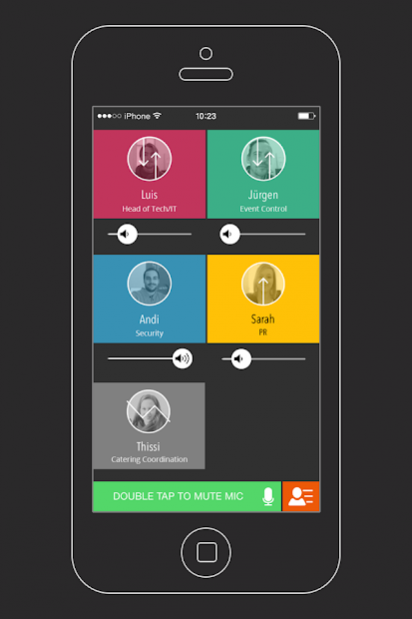
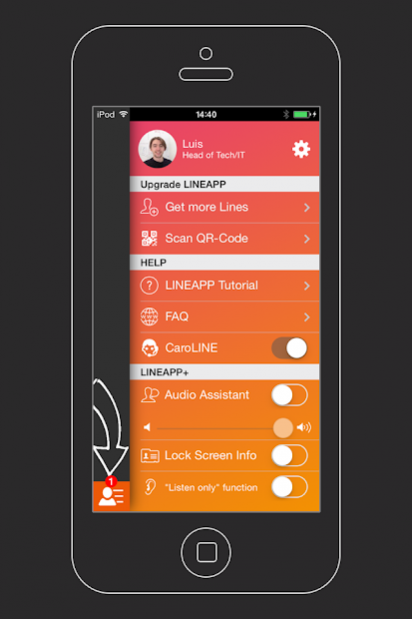
LINEAPP is a revolutionary intercom system and paging software that makes team communication a breeze! No heavy and expensive intercom and radio systems. No complicated and slow setups. LINEAPP can be used as a wireless intercom software with mind-blowing Hi-Fi quality. LINEAPP is the best solution for easy team communication at events, offices, restaurants, hotels, retail industry or just at home.
Connect in 3 steps:
1. Check your WiFi connection (no Internet required; "Multicasting" on, "Client Isolation" off)
2. Provide the end device (tablets, smartphones,...)
3. Download LINEAPP
WHY LINEAPP?
LINEAPP IS EASY TO USE
- Fast installation and easy, intuitive handling
- Works with different end devices (Android & iOS)
- No Internet required (LINEAPP only needs a WiFi network)
- Different modes, from push-to-talk (PTT) to permanent (Duplex) conference
HIGH-QUALITY, REAL-TIME COMMUNICATION
- Mind-blowing sound quality that covers the full human voice spectrum
- Real-time communication without delays thanks to LINEAPP’s patented codec
COST-EFFECTIVE
- Saves rental and logistics costs on hardware intercom systems
The following industries use LINEAPP already:
Event Management, Retail, Media & Broadcasting, Arts & Culture.
Find an overview of all LINEAPP features at www.lineapp.pro
Contact: support@lineapp.pro
About FLUX Desktop & mobile Intercom
The company that develops FLUX Desktop & mobile Intercom is LINEAPP. The latest version released by its developer is 3.2.4. This app was rated by 1 users of our site and has an average rating of 5.0.
To install FLUX Desktop & mobile Intercom on your Android device, just click the green Continue To App button above to start the installation process. The app is listed on our website since 2017-11-10 and was downloaded 112 times. We have already checked if the download link is safe, however for your own protection we recommend that you scan the downloaded app with your antivirus. Your antivirus may detect the FLUX Desktop & mobile Intercom as malware as malware if the download link to at.lineapp.droid is broken.
How to install FLUX Desktop & mobile Intercom on your Android device:
- Click on the Continue To App button on our website. This will redirect you to Google Play.
- Once the FLUX Desktop & mobile Intercom is shown in the Google Play listing of your Android device, you can start its download and installation. Tap on the Install button located below the search bar and to the right of the app icon.
- A pop-up window with the permissions required by FLUX Desktop & mobile Intercom will be shown. Click on Accept to continue the process.
- FLUX Desktop & mobile Intercom will be downloaded onto your device, displaying a progress. Once the download completes, the installation will start and you'll get a notification after the installation is finished.
Program Details
System requirements
Download information
Pricing
Version History
version 3.2.4
posted on 2017-11-10
- Fixed a bug where the app was closed when the device was put into standby mode
